
Webhooks and third-party integrations are some of the most common points of failure in a GHL automation, and it is rarely because GHL itself is unreliable. It is because the moment a workflow reaches out to something outside GHL, whether that is a webhook to an external tool, a Meta Ads integration, or any other third-party service, you are now depending on something GHL does not fully control.
What makes these failures genuinely dangerous is not that they happen. Failures happen with every platform and every integration. What makes them dangerous is that GHL gives you no reliable way to know when one has occurred.
For how this fits into the broader diagnostic framework, check out our Complete Guide to Debugging GHL Automations.
Two Silent Failure Modes, Both Equally Dangerous
When a webhook or third-party step fails inside a GHL workflow, one of two things happens, and neither one announces itself.
The first is that the workflow simply continues. The step fails, but nothing stops the automation from moving on to the next action as if everything worked correctly. The contact keeps progressing through the rest of the workflow, everything downstream looks normal, and the only evidence that something went wrong is buried inside that one step, which most people never go back and check.
The second is that the workflow gets stuck. The failed step becomes a dead end, and the contact simply stops progressing at that point. There is no error message pushed to you, no notification, nothing in GHL’s native interface that tells you a contact is sitting stalled at a broken step. You only find out because you eventually notice the contact never reached a stage you expected them to reach. This looks identical to any other reason a contact might be stuck in a GHL workflow, which is what makes a silent integration failure so easy to misdiagnose as something else.
Both failure modes produce the same outward symptom: something did not happen the way it should have, and there is no clear signal pointing you toward why. Whether the workflow silently pushed through or silently stalled, the diagnostic starting point is the same, you have to go looking for the failure yourself, because GHL is not going to surface it for you.
A Real Example
This is not a theoretical concern. In a real automation timeline, a webhook step meant to sync data to an external project management tool returned an error, logged as an unused Respond to Webhook node. Immediately after that error, the workflow continued and completed successfully. Every step after the failed webhook executed normally.
Without something specifically flagging that error, it would have been easy to look at this timeline and conclude everything worked. The workflow finished. The contact progressed through the rest of the automation as expected. The only sign that anything had gone wrong at all was a single error entry sitting quietly between two otherwise normal looking steps.
This is exactly the scenario that makes these failures so easy to miss. A workflow that completes does not mean every step inside it succeeded. It only means the workflow did not come to a hard stop.
Why You Can't Just Trust That “It Ran”
The natural assumption when you glance at a completed workflow is that it worked. It finished, the contact moved through it, nothing looks obviously broken. That assumption is not safe.
A completed workflow tells you the automation reached its end. It does not tell you that every individual step inside it succeeded along the way. A webhook can fail, an integration can reject a payload, a third-party call can time out, and the workflow can still march forward to a normal looking completion, carrying that silent failure with it the entire way. The only way to know for certain is to open that workflow’s execution log and check each step individually, rather than trusting the overall completion status.
The inverse problem is just as real. A workflow that never completes does not come with an explanation. GHL does not send you an alert telling you a contact is stuck, or why. You are left inferring that something is wrong purely from the absence of expected progress, with no error message to point you toward the actual cause.
And that raises an uncomfortable question. How many failed contact journeys does it take before you notice something is off? One? Twenty? A stalled or silently broken step does not announce itself, which means the real answer depends entirely on how closely you happen to be watching, and for how long. Without a way to diagnose the problem when you actually set up your automations, you are relying on luck, or on burning hours manually reviewing every automation just to catch something that may or may not even be there.
How Flow Inspector Surfaces This
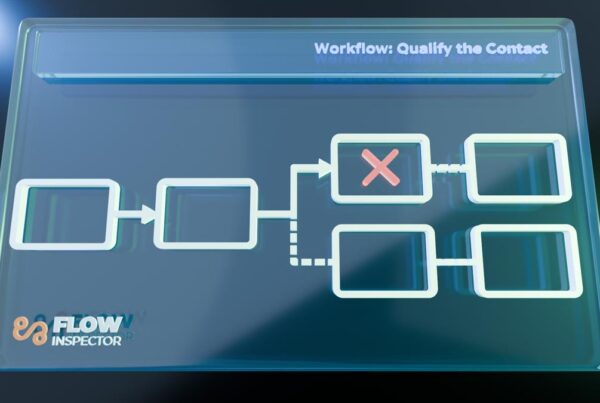
This is exactly the gap Flow Inspector was built to close. When you import a workflow’s execution data and an error is present, a clear warning banner appears immediately at the top of the timeline. You do not have to know to look for it, and you do not have to catch a single quiet error entry buried between two normal looking steps. It is surfaced to you the moment the data loads.

Flow Inspector flags errors the moment you import a workflow, so a failed webhook or stalled step never hides behind a completed looking automation.
Start your subscription at FlowInspector.app for only $19/month.
That immediate visibility is the difference between finding a problem the moment it happens and finding it weeks later, after it has already quietly affected however many contacts passed through that same broken step in the meantime.
What This Means for How You Build and Monitor
You cannot eliminate third-party failures. Webhooks will occasionally fail, integrations will occasionally reject a payload, external services will occasionally go down at the exact moment your automation needed them. That is simply the nature of depending on something outside your own platform.
What you can control is whether those failures stay invisible. A few habits help. Treat any step in a workflow that reaches out to a third-party service as a point that deserves specific attention when something seems off, rather than assuming it is fine because the workflow around it looks fine. Do not rely on a workflow’s completed status as proof that everything inside it worked. And build the habit of actually checking, rather than assuming, especially for automations that matter most to a client relationship or revenue.
The goal is not to catch every failure the instant it happens through manual vigilance alone. That does not scale, especially across a complex account with many interconnected automations. The goal is making sure you have a way to see these failures clearly when they do happen, instead of discovering them only after they have already caused a problem you cannot easily trace back to its source.
A Weekly Habit Worth Building
The best defense against silent failures is not vigilance in the moment, it is a regular, deliberate check. For mission critical client accounts, a simple weekly routine goes a long way: once a week, pick two contacts, one who completed the desired journey successfully and one who did not, and load their timelines in Flow Inspector. Confirm both paths are still firing the way you built them to.
This is only realistic as a weekly habit because of how fast it is with the right tool. Choosing two contacts by tag, one qualified and converted, one disqualified or dropped off, and reviewing both timelines in Flow Inspector takes under 10 minutes. Doing the same check manually, cross referencing execution logs across every workflow both contacts touched, would take considerably longer, easily an hour or more depending on how many automations are involved. That difference is the entire reason a weekly check is sustainable instead of something that gets skipped after the first few weeks.
Automations are not something you build once and walk away from forever. Third-party services change, APIs get updated, integrations break in ways that have nothing to do with your workflow logic. Ten minutes a week in Flow Inspector is a small, sustainable cost against the alternative, finding out weeks later how many contacts quietly fell through a broken step.
Webhook and integration failures are not a sign that GHL or your automation build is broken. They are a normal cost of connecting to outside systems. The real risk is not the failure itself, it is that GHL gives you no reliable way to know it happened, whether the workflow silently pushed through or silently stalled. Treating a completed workflow as proof that everything worked is the mistake that lets these failures go unnoticed for far longer than they should.
Stop guessing why automations fail
Every hour spent manually cross referencing GHL execution logs is an hour you are not billing a client. Flow Inspector turns a 3-hour diagnostic into a 3-minute one.
Start your subscription today for only $19/month! That’s less than one billable hour per month:











3 Comments